References
A list of external documents, guidelines, or websites referenced by your plan.
What this is for
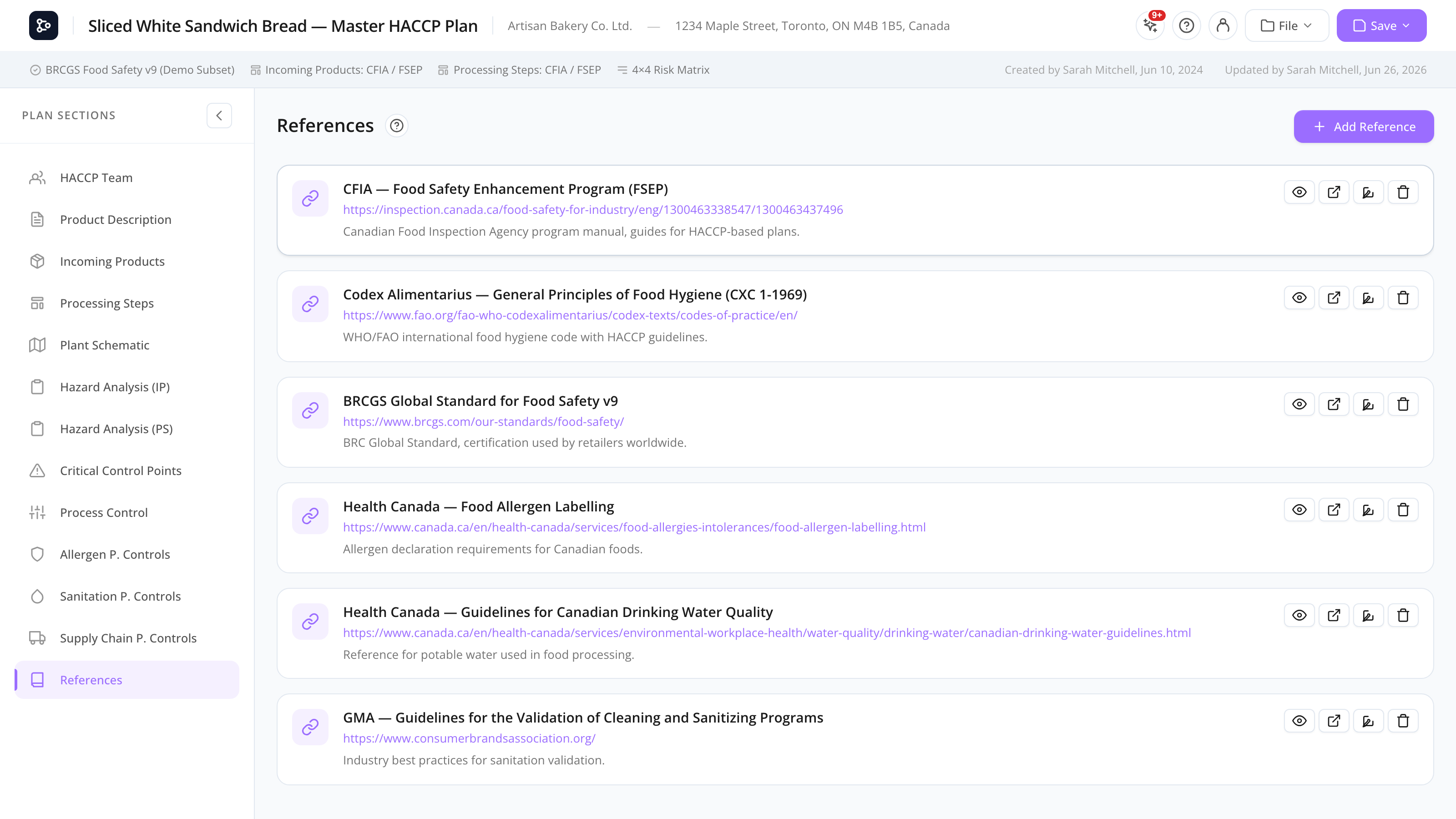
The References section is a simple list of links — to regulations, standards bodies, scientific papers, internal documents, or any external resource your plan refers to. Each entry has a name, a URL, and an optional description.
You can preview links inline (in an iframe) or open them in a new browser tab. The list is included in the printed plan as a final reference page.
Common tasks
How to add a reference
- Open References from the sidebar.
- Click + Add reference.
- Fill in:
- Name — display name.
- URL — full URL starting with
https://. - Description — what the reference is about.
- Save.
How to preview a reference
Click the preview icon on a row. A modal opens with the URL rendered in an iframe.
Some sites block iframe embedding (X-Frame-Options or CSP). If the preview is blank, use Open in new tab instead.
How to open a reference in a new tab
Click the external link icon on the row, or click Open externally from the preview modal.
How to edit a reference
Click the row (or the pencil icon) to edit inline. Changes save as you type.
How to delete a reference
Click the trash icon and confirm.
How to reorder references
Drag the row handle up or down. The order is preserved in the printed plan.
Screen reference
Reference row
| Column | Description |
|---|---|
| Name | Display name. |
| URL | The link. Truncated in the row but full in edit mode. |
| Description | Free-form. |
| Actions | Preview, open externally, edit, delete. |
Preview modal
| Element | Description |
|---|---|
| Iframe | Renders the URL inline. |
| Open externally | Opens the link in a new browser tab. |
| Close | Closes the modal. |
FAQs
Can I link to a file on my computer? No — references are URLs. If you want to attach a file, host it somewhere your team can access (intranet, shared drive with a public link, etc.) and link to that URL.
Why is the preview blank for some references? The site sets HTTP headers that prevent iframe embedding. Use Open externally to view it in a new tab.
Can I add internal links to other sections of my plan? Not as references. The References section is for external resources. Internal navigation is done from the sidebar.
Do references appear in the printed plan? Yes — they’re rendered on a final page with the name, URL, and description for each entry.
Is there a maximum number of references? No hard limit, but very long lists slow down the print preview. Keep it focused on the references you actually cite.